**Material and subscriptions needed in order to have access to this module
| Required? | |
|---|---|
| HUB | YES |
| Powerail | - |
| Sensors | - |
| Starter Pack | - |
| Boat Monitoring Add-on | YES |
Each time you set sail, the HUB automatically records a new navigation session. The Logbook module allows you to relive your sailing trips in details thanks to recorded navigation data an kez events that took place.
1. Logbook menu
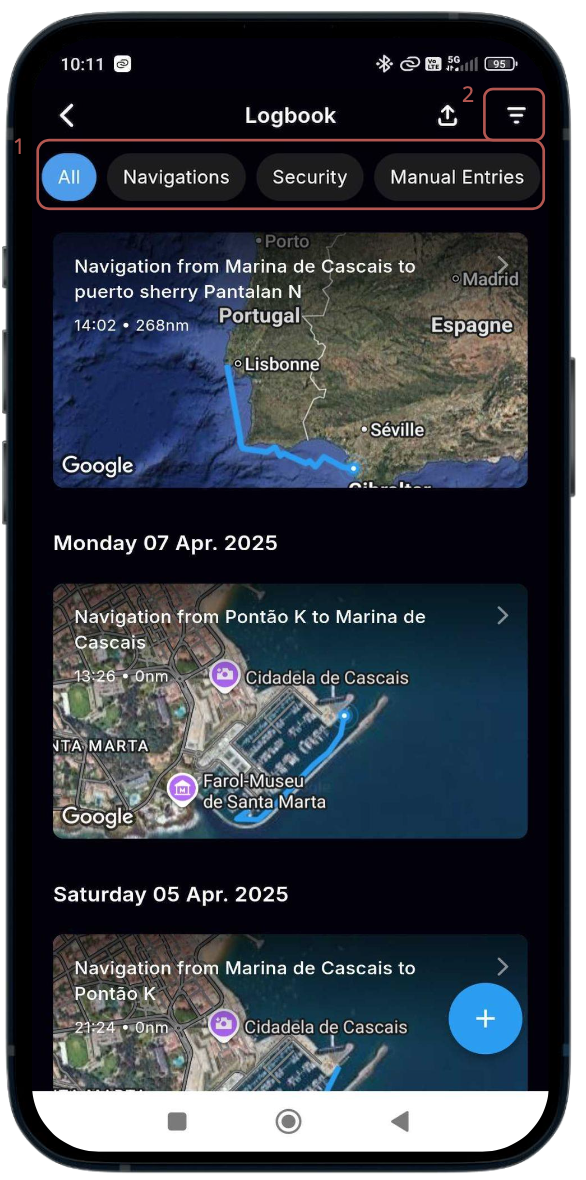
In the menu, you will find all past navigation and events sorted chronologically.
You can quickly filter these events by selecting one of the filters (1) at the top of the list : Navigations / Security / Manual Entries
Or (2), selecting a date range and/or type of entries : Battery Alert / Engine Alert / Maintenance Events / ...
2. Sailing trip
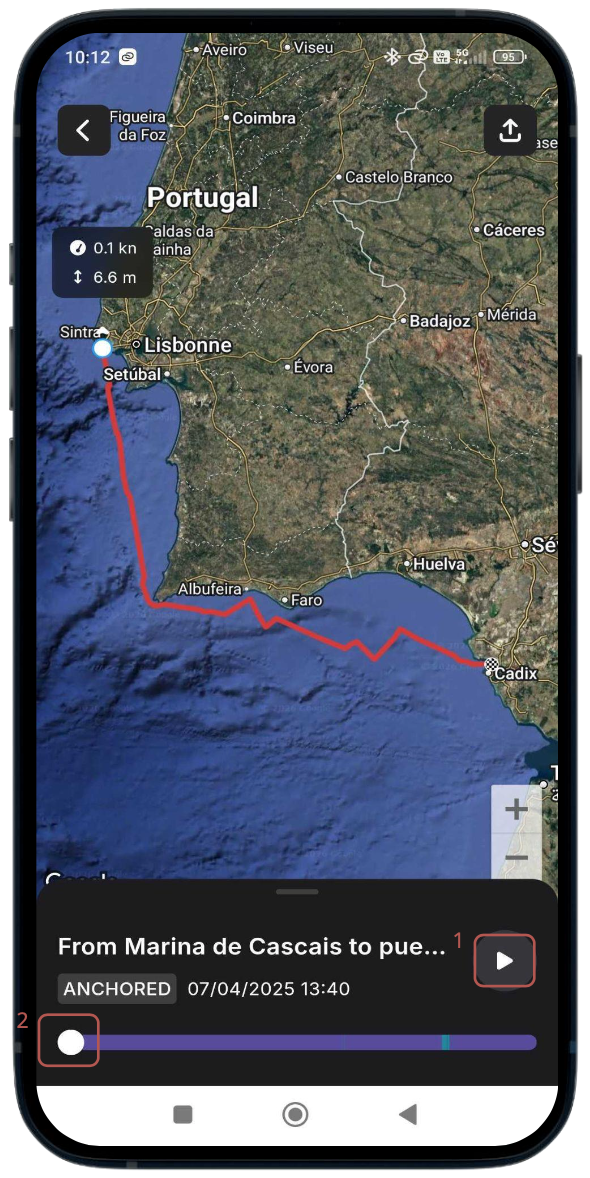
When viewing navigation data, you can relive your journey minute per minute. Press the "play" button (1) or slide the button (2) with your finger
2. Navigation data
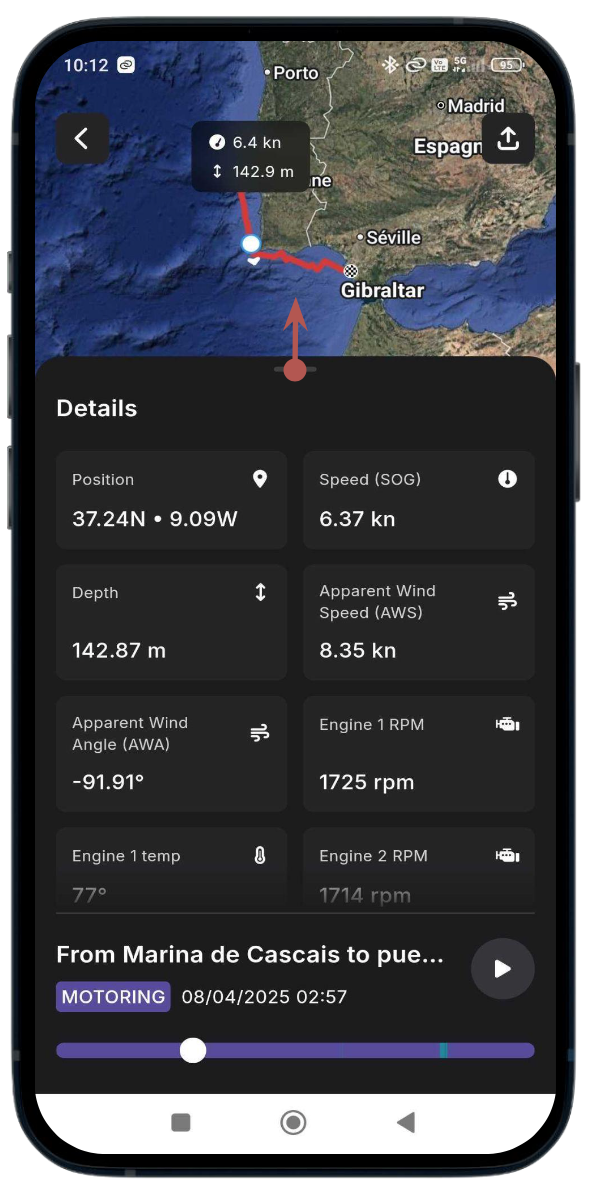
By sliding the panel upwards, you can access all "Navigation Details": Position / Speed / Wind / Engine RPM and t°
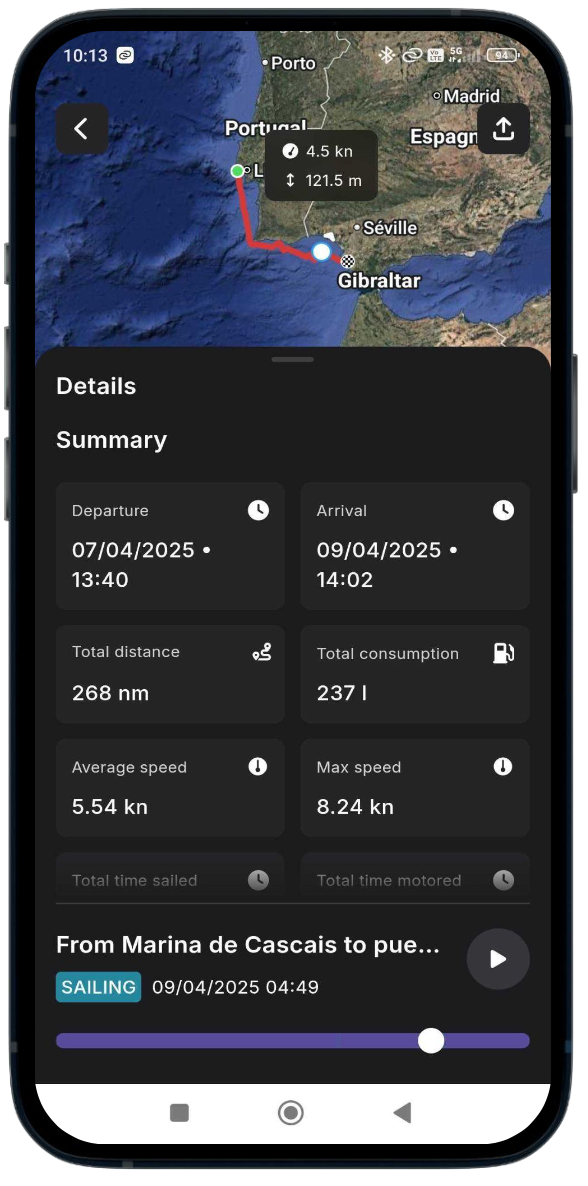
You will also access a "Summary": Departure & Arrival time / Total distance / Total gasoil consumption / Average speed / Max speed / Total time sailed / Total time motored / Total time.